Image File Transfers
ADGraphics accepts all types of digital art files
File Upload Options
- PCloud
- WeTransfer
Before you upload your files . . .
Please note: Your art files will be previewed by our design team; they will make any necessary adjustments to be certain your files will print the way you expect them to. Any art files that require excessive editing may be subject to editing charges. You would be contacted prior to any editing that is chargeable.
Art preparation
Large format guidelines
Preparing your art files for large-format printing.
DPI: We prefer a resolution high enough to maintain at least a 75 dpi (dots per inch) resolution at FINAL PRINT SIZE for a vehicle, and at least 100 to 200 dpi if there is small text created in Photoshop.
File Preparation: If possible, build your files larger than final output size. We accept all types of files to print from. We prefer them prepared in Adobe Illustrator or Photoshop. If you are using Corel Draw, convert text to curves and give us the original .cdr file. Export a copy as an .ai (Adobe Illustrator) file. Include all screen and printer fonts with artwork.
Printed Proof is recommended for color critical designs.
We accept all types of media, DVD, storage devices, etc. You can also upload your files via USB.
Supply a color output of your final artwork which includes any cropping instructions, and note any PMS colors you would like us to match.
IMPORTANT! When creating art for a vehicle, design layouts in a rectangular format, using the proper template as a reference for placement. Keep in mind that templates are only 2-dimensional or flat. Your graphics must accommodate any curves or contours that are not visible on the templates. It is critical to your design to measure any of these areas. Also, try to keep all live or pertinent images, such as logos, phone numbers, etc. away from window frames, door handles, molding, mirrors, etc. Examples DO NOT cut out the areas around the wheel wells, windows, etc., those areas are needed for adjustments of the graphics during installation. Bleed all images 2″ around the perimeter, on full size art.
Templates
Vehicle templates are available at N/C with $100 deposit. Deposit is deducted from your placed order. Contact your account rep for assistance.
Corporate Logos
ADGraphics archives hundreds of corporate logos in EPS vector format. Logos are available for a $100 fee. Contact your account rep for the logo you need.
Quality
The highest quality and best looking designs are always produced from the best original art that you can provide. ADGraphics can perform image retouching miracles, but we always ask for the best original artwork to start with.
WARNING: LOGOS ARE NOT CLIPART! All logos are trademarks of their respective owners, and are offered as a convenience for their lawful use only, with proper permission from the copyright or trademark holders.
Obtaining logo files from ADGraphics does NOT give you authorization nor permission to use the copyrighted logos without the specific consent of the copyright or trademark holder. Before you use, reproduce or distribute in any manner any logo obtained from ADGraphics, you must first receive the express permission of the holder of the copyright or trademark of that logo. Failure to obtain such permission is a violation under international law.
Color conversion chart
PMS & CMYK priniting colors

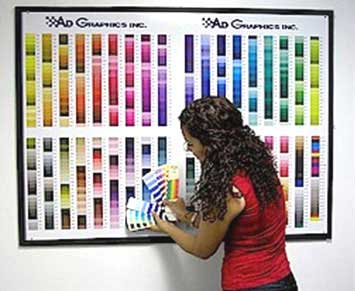
We do not print PMS colors. However, we can match most PMS colors using a combination of CMYK colors. Some PMS colors cannot be matched exactly using CMYK. If you have a particular color you need to match, we can print you a CMYK swatch PROOF for comparison.
Note: ALL computer monitors and printers are calibrated differently, therefore they ALL look and print differently. This chart is ONLY a guide to help you find a CMYK comparison to PMS color. It is NOT an exact rendition of what ADGraphics will print. Even though they may have the same formula, computer screen colors look vastly different than printed colors.
Please request a printed “SWATCH PROOF” for colors that need to match your logo, branding or design colors.